Save, Stream, Transfer Digital Media w/ Data Storage Devices
When I was at a media event a while back, a couple new products by SanDisk caught my eye. While flash drives and external media drives are quite common, there…

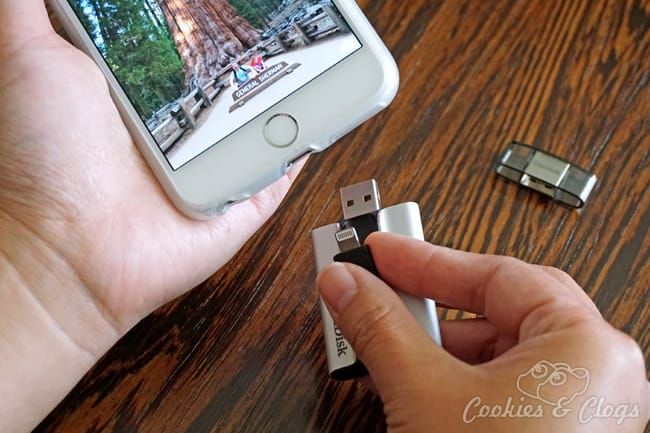

When I was at a media event a while back, a couple new products by SanDisk caught my eye. While flash drives and external media drives are quite common, there was something about each of these items that really stood out. With the increase in digital media, people need more data storage space than ever before. We also need a means of transferring and sharing that data, which likely includes a combination of high resolution photos and video. Both the SanDisk Connect Wireless Media Drive and iXpand Flash Drive for iPhone and iPad fit the bill.
Data Storage Devices – SanDisk Connect Wireless Media Drive
The SanDisk Connect Wireless Media Drive comes in a 32GB or 64GB capacity. This is more than enough space for any movies, photos, or music that can’t fit on your phone. There’s even a slot to put an SD card if you need even more wireless memory or to transfer photos and video from your camera. Oh, and the media drive is itty bitty so you won’t have to worry about it taking up much room in your bags or luggage.
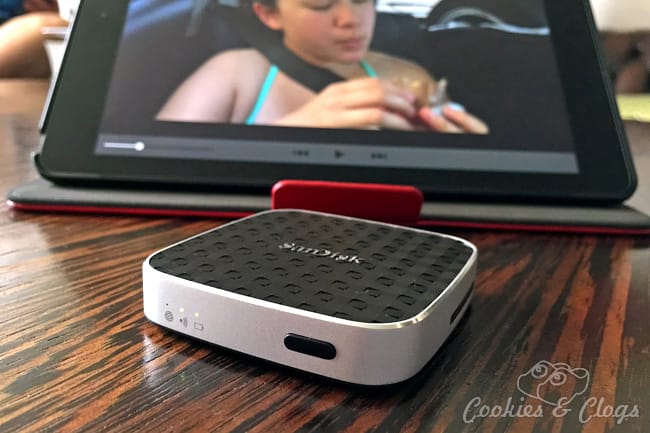
The drive creates its own Wi-Fi network so the family can actually stream their favorite media while on road trips or just while waiting at the dentist office without sucking up cellular data. The best part? Up to five devices can stream at the same time AND they can all watch different things! Talk about keeping everyone happy!
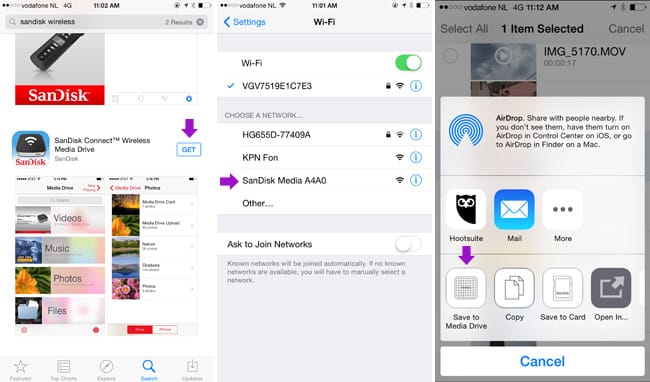
Setup was easy and the transfer of files went fairly quickly. You do need to install a free app on your phone to manage the drive. I tried streaming the same video clip from two devices at the same time. There was a lot of buffering and playback issues at first but installing the available software update mostly fixed this. I have a feeling more updates will be on the way, though, as some functionality seems in need of extra tweaking for smooth streaming.
Data Storage Devices – SanDisk iXpand Flash Drive (iPhone & iPad)
Using an iPhone or iPad can sometimes make the transferring of difficult, especially if you have files that are a little bigger such as video. Instead of crying over the fact that these Apple devices do not have a USB port, SanDisk is offering the iXpand Flash Drive for iPhone and iPad. You can choose from 16GB, 32GB, 64GB, or 128GB capacity and a lightening tip for your iPhone or iPad is built-in.
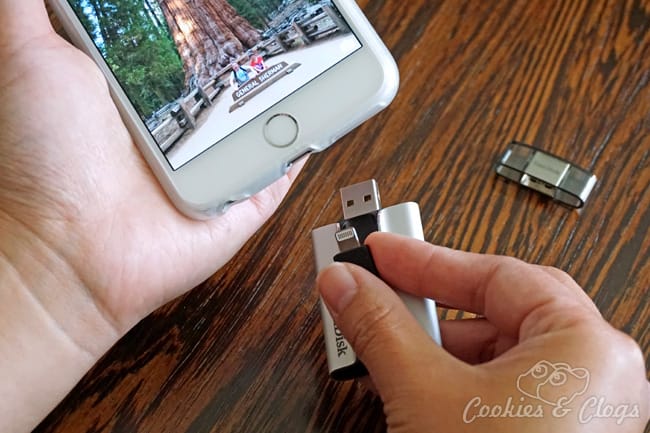
You use this device just as you would any flash drive as it has a USB connection on the other end. I love how compact the iXpand is and that the connections are neatly tucked away or covered. You can easily bring it with you whenever you need some extra data space or to share bigger files.
To work with the iXpand, you need a free iOS app. I had no issues with this and transferring files to and from devices was a breeze with easy drag and drop. You can also set it to automatically sync your media when you plug it in. I was only able to test the iXpand briefly as we were spending most of last month Frans’ family. However, I was happy surprised by how simple the process was using it. I’ll probably start carrying with me whenever I go somewhere.
Now here’s your change to win a 64GB SanDisk iXpand Flash Drive for iPhone and iPad. Enter below!
I was provided with these items for review and at no cost to myself. All opinions are my own.