iTrace – Handwriting Practice for Kids [iPad]
iTrace App Review for iPad and Enter the iPad Mini Giveaway… When I began teaching my daughter how to write, we went through pages and pages of those practice writing…


iTrace App Review for iPad and Enter the iPad Mini Giveaway…
When I began teaching my daughter how to write, we went through pages and pages of those practice writing sheets. At a later point, I found a font with dashed letters and printed little booklets with her name and the alphabet in upper and lower case letters. These days, with kids using smartphones tablets as if they had them at birth, using a handwriting app just makes more sense. iTrace is a brand new app that was just released today for use on the iPad.
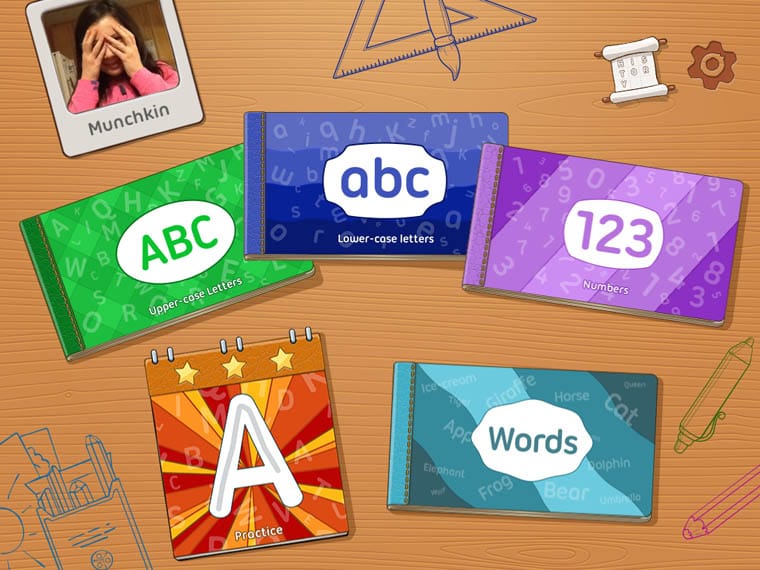
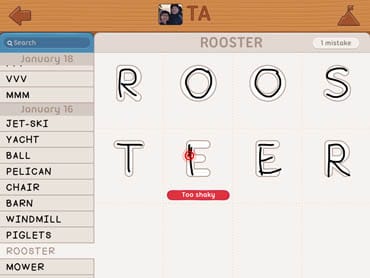
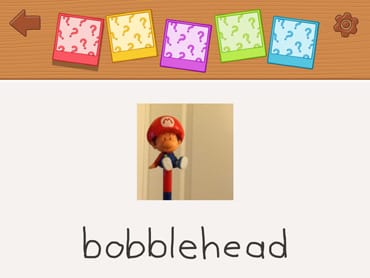
The best part about the iTrace app is that kids will actually WANT to use it. If they write a letter successfully, they can receive a gold star. I can tell you from experience that getting shiny stars is a HUGE motivator. My daughter used to love them! Three gold stars reveals a mystery word and picture. Then, they can look for the item in the hide-and-seek mini-game. When your child is ready to move onto writing words, they’ll enjoy the themed scenes that have cute animated graphics which move when words are correctly written. Kids will also love that they can practice writing their own name and in a variety of colors.
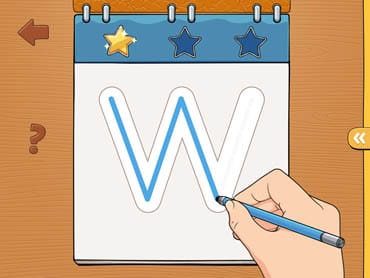
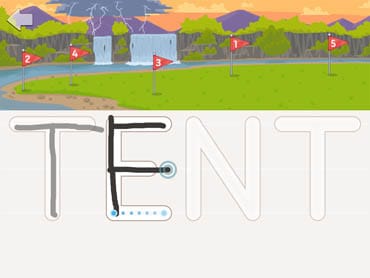
iTrace provides several exercises to get your child used to forming letters properly. They can begin with using their finger to trace the letters and can switch to using a stylus when ready, making the transition to writing on paper easier. In the practice section, children are given ‘easy’ letters at first and the difficulty increases as your child’s writing improves. Specific letters and numbers can be selected for extra practice if you notice they’re having trouble with certain ones.
The settings have a number of options that I found useful. These can only be accessed after answering a simple mathematical problem (i.e. 3 x 6) though. In the settings, the history of the child(ren)’s sessions is available to see how they are doing. Multiple children can be added, each with their own progress recorded. Alternate writing styles can be chosen here, including options for left-handed users. I love the fact that parents have the ability of adding new words. Each family has different needs that may not be filled by the 500 words pre-programmed into the app. Plus, it may even add a bit of fun when the child discovers the ‘mystery words’.
iTrace can be purchased for $3.99 through the iTunes store and more information can be found on their website. I’d highly recommend it as a great tool for parents teaching their kids to write or giving them a little extra practice. The navigation is easy and the format keeps things fun for the little ones. It was even beneficial for my not-so-little one. There have been certain letters that she has refused to write the way I taught her but, using the app, she had to follow the prompted order and directions to see the next picture or graphic. It also forced her to write more neatly.
I was really taken aback by how clever this app is and so wish it was around when my daughter was younger! It would have saved us money by not having to buy all those lined practice books and made learning to write so much more enjoyable for both my daughter and me. Parents of young children – this is for you!