Finding the Best Wireless Router for Smooth Wi-Fi Streaming
I received this product for free, as a NETGEAR ambassador, in exchange for my honest, unbiased opinion. It’s been a few months since we’ve “cut the cable,” as they say. We no…

I received this product for free, as a NETGEAR ambassador, in exchange for my honest, unbiased opinion.
It’s been a few months since we’ve “cut the cable,” as they say. We no longer have cable TV, just Internet. Besides three or four of our favorite shows, we don’t care watch too much television anyway. A reasonably priced subscription to Hulu Plus makes it possible for us to keep caught-up with Director Coulson and his Agents of S.H.I.E.L.D. and the goings on of the families of The Middle and black-ish. The challenge has been in finding the best wireless router to smoothly stream these shows. That’s why we were so glad to be able to test out the NETGEAR Nighthawk X4 (model AC2350 / R7500).
Finding the Best Wireless Router
The devices that “stream” these shows come in several flavors: a box (Roku), a stick (Chromecast), a game console (Xbox), or whatever you prefer. Then you need to connect that device to the Internet. Most devices have the option to for a wired connection. This usually gives you the fastest download speeds has limitations such as getting a long enough cable, having a wall output in the right place, and having to string the unsightly things all over. A better option is going wireless, also known as Wi-Fi. That sounds pretty simple, but there’s more to it.
Most of the time the modem you lease from your Internet provider already has Wi-Fi built-in. That’s great, well, it would be if it wasn’t based on centuries old technology. You won’t get the same speed from their built-in Wi-Fi that you’d get from a wired connection. Speedtest.net shows that our internet provider’s Wi-Fi performed at HALF the speed of a wired connection.
NETGEAR Nighthawk X4 Makes Streaming Smooth
That’s what amazed me about the NETGEAR Nighthawk X4. The speeds I got through Wi-Fi were the same as through the wired connection! More than 100 Gigabit over Wi-Fi?! Just imagine what that means when streaming video, playing online games, and downloading big files all at the same time. Now our expensive Apple devices can actually connect to something that is able to transmit and receive using the latest 802.11ac Wi-Fi standard.
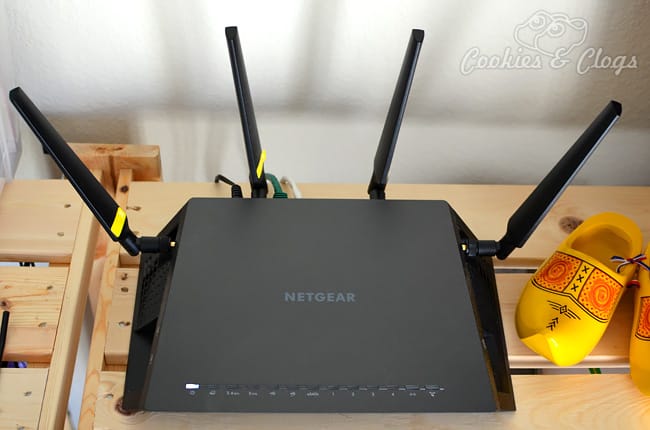
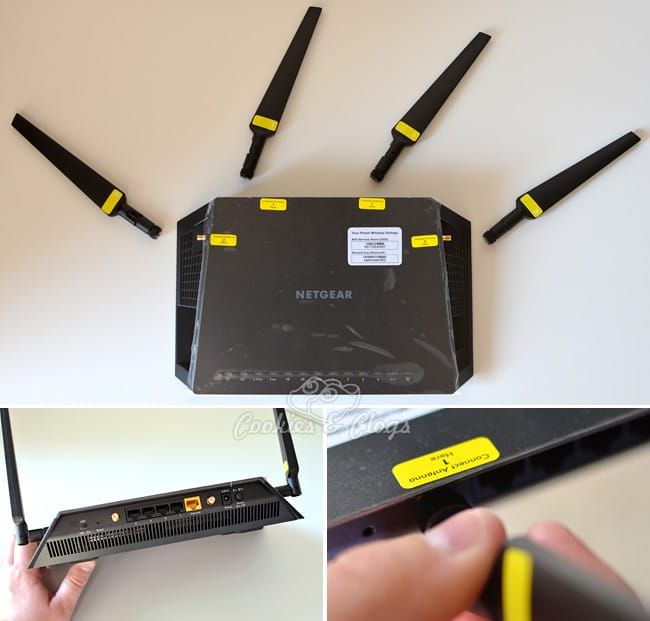
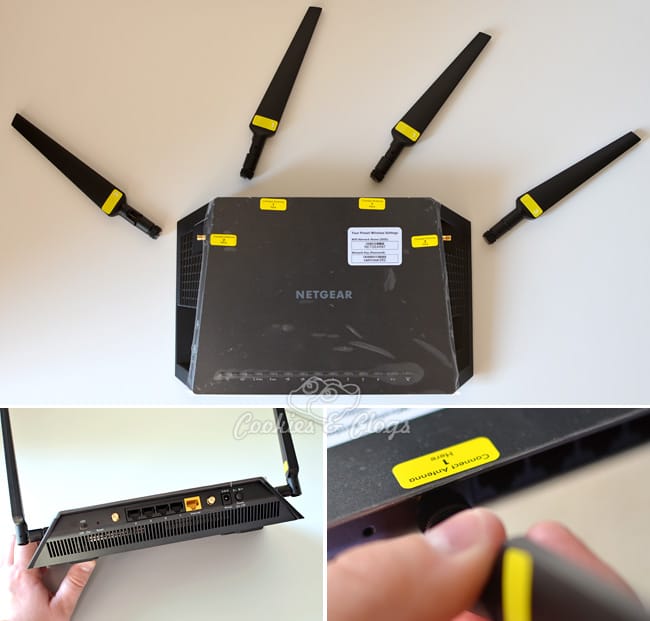
The four external antennas can be pointed in all possible directions so that I can receive a strong signal everywhere around the house. You can connect two super fast USB 3.0 devices (external drives, scanners, printers) and one eSATA external drive, which makes it easy to access from multiple desktops, laptops, and tablets.
Another feature that the NETGEAR Nighthawk X4 has that your provider’s modem probably doesn’t have is that it can prioritize streaming content. So, even if someone else is using the Internet at the same time your favorite show is on, you can continue watching without having to deal with those annoying “buffering” messages.
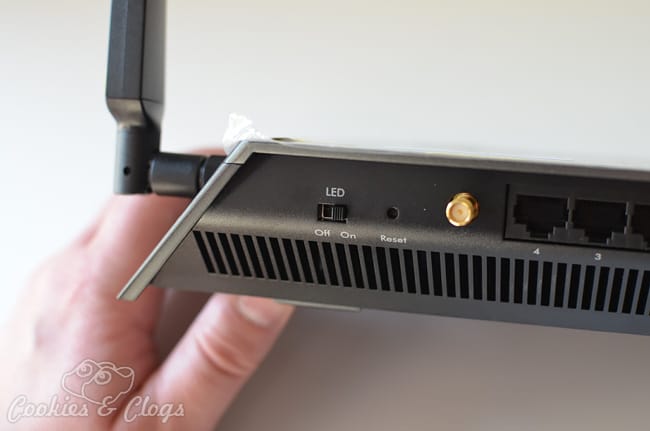
It might be silly but one of my favorite features of this router is a switch on the back that turns off the flashing indicators. Then, only the power LED stays on. We happen to have the router on a shelf in our bedroom. So having those lights flashing all night long when you’re trying to sleep can be really irritating.
Honestly, I think that getting an external Wi-Fi router is a good investment. Being able to wirelessly get all speed you’re already paying for, plus the extra features, makes the purchase worth it. The Nighthawk X4 worked well for our needs but, for those that put a heavier or lighter load on their internet, NETGEAR offers a large range of other routers which might better suit your needs.