Kyocera Torque – A Smartphone Tougher Than Your Lifestyle!
Kyocera Torque on Sprint Network Smartphone Review, Partnered Post… What’s the first thing you do when you get a new phone? Get a case, right? After all, you have to…

Kyocera Torque on Sprint Network Smartphone Review, Partnered Post…
What’s the first thing you do when you get a new phone? Get a case, right? After all, you have to protect your investment for the next two years that you’re under contract, right? What if you could get all the functionality of the fancy flagship smartphones but at a fraction of the cost and that could withstand the bumps, drops, spills, toilet dunks, and all other hazards that come with parenthood? The Kyocera Torque may be right up your alley!
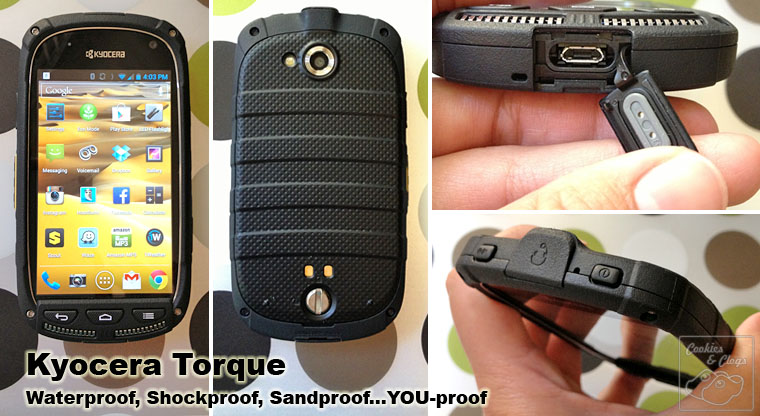
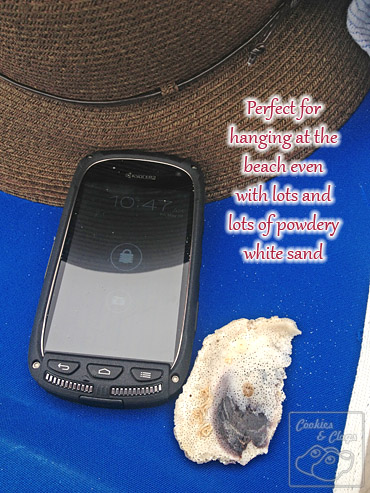
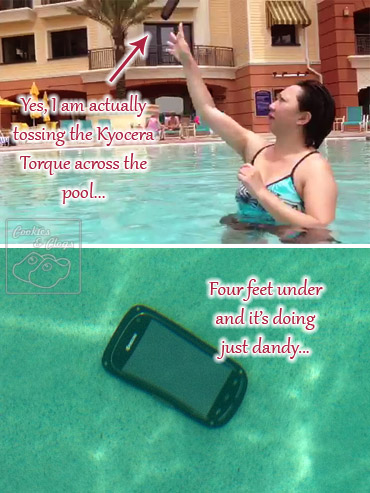
You’ll notice that there are a couple of flecks on the back of the phone pictured above. That’s because I’ve been busy dropping it on concrete floors and throwing it around everywhere. Oh, it also traveled with me to beaches with super fine sand and in a couple of pools to catch some underwater fun. So far I haven’t put it in the washing machine and dryer yet but I’m sure it’d do fine.
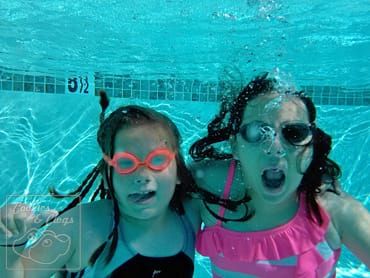
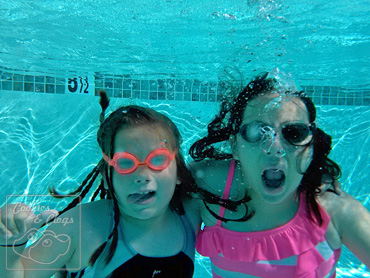
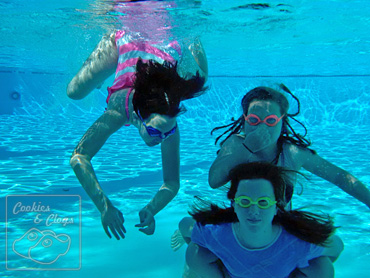
Want to see what I mean? While I was recording the girls from outside the water, we also had the Kyocera Torque recording from under the water. I’d say it passed the ‘kid test’ quite well, wouldn’t you?
The Kyocera Torque (pronounced “Key-oh-sarah”) is only $99 with a 2-year Sprint contract and is especially ideal for both parents and their kids There’s no need to fork out extra for a good case since the phone itself is built to military specifications. What does that mean? This rugged little phone has an impact-resistant touchscreen and can withstand:
- Water (fully immersed in up to 1 meter and for up to 30 minutes)
- Drops (26 times from 4′ high)
- Shock
- Vibration (horizontal, vertical, sideways for 1 hour)
- Blowing Rain
- Low Pressure (15,000 feet for two hours)
- Solar Radiation (exposure of 1120 W/m2 for 24 hours)
- Salt Fog (complete 48-hour exposure cycle)
- Humidity (95% for 10 days straight)
- Sand
- Dust (heavy, for six hours)
- Temperature Extremes (-4°F to 122°F operating, -22°F to 140°F non-operating)
Just because the Kyocera Torque is durable doesn’t mean it’s clunky. No, not at all. Applications load fast, the touchscreen is responsive and bright, it runs on Android 4.0 Ice Cream Sandwich, and there’s a 5MP rear-facing camera and a 1.3MP front-facing camera. Call quality seemed sufficient. Battery life was comparable. The memory included is WAY too small (1GB) but you can insert a microSD card up to 32GB. Screenshots can be taken by holding the ‘volume down’ button and the power button for two seconds. Sprint 4G LTE is available on the Torque, which is great when you’re using it as a Hotspot for up to five devices simultaneously. This really came in handy when I was waiting at the airport between flight stopovers and was able to get some work on my laptop done.
Regarding the camera, photos above water are clear and the colors are true. However, the photos UNDER water are twenty times cooler! Video turns out great (as you saw) but make sure to hold onto to something so you don’t float up while filming. It was funny to see the kids’ expressions when I told them to throw the phone around and play with it in the pool 😛 I had to quickly remind them NOT to do the same with their mom’s or my phone…
Through the course of my review, I often had people ask, “What kind of case is that?” After explaining about the phone and the price point, several expressed interest as this being their next phone. Sure, other smartphones might be prettier but they’re also bulkier. Since the Torque does not need an extra case, it’s slim enough to slip into any pocket or purse. There’s still a nice grip though. I think the design is sleek and functional without looking totally manly.
It was a pain trying to download the photos and videos I took. The Torque wouldn’t connect with my Mac equipment, refused to send via MMS, and was a non-recognizable file in DropBox. The only way to really get things off the device was to upload it to my Google+ account, which ended up being pretty fast. Just a hiccup but one that caused me a good amount of frustration.
There were a few features I didn’t really get to play with – the Direct Connect or NFC. That had to do with not having any other Sprint users nearby. I so wanted to ‘touch’ phones to transfer files! The included Smart Sonic Receiver technology is supposed to help you hear better, even in noisy surrounding, through vibrations. I didn’t really get this to work much for me though. There were also a few times that the processor hung and I had to restart the phone or the phone would restart on its own. I don’t know if that has to do with the Android platform or if it needs a software update.
The Kyocera Torque is a functional and durable smartphone to have and to use. For less than $100, you can call, text, browse, email, share photos, take video, play games, read, update your status, check-in, etc. – all without having to worry it will break if you accidentally drop it (a lot) or get it wet.
I was provided with a loaner product (which is to be returned) and was compensated for the work involved in crafting this post. All opinions are 100% my own.