Samsung Galaxy Universe – What’s in a Name?
Summary of Samsung Galaxy Tech Event in San Francisco w/ Galaxy Camera… A short while ago, I had the chance to see the latest products in the Samsung Galaxy line…

Summary of Samsung Galaxy Tech Event in San Francisco w/ Galaxy Camera…
A short while ago, I had the chance to see the latest products in the Samsung Galaxy line and to talk with some representatives. After blindly playing with each, the first question I had to ask was, “What’s the difference?” Aside from the Galaxy S3, which has been heavily advertised, I just could not keep the other items straight. Here’s a small breakdown of what I understood from the event. If I got any of these wrong, please let me know 🙂
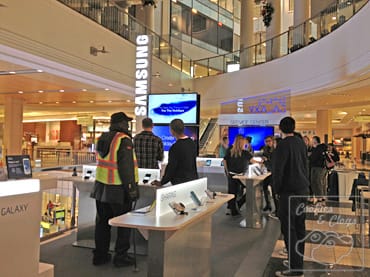
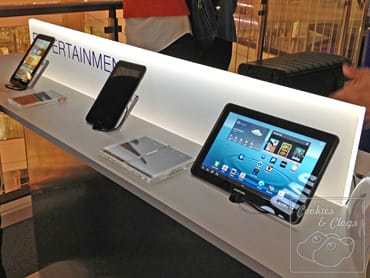
…S3 – Smartphone
With all the advertising, this does not need much explanation. The backing can be replaced with one that has a cover attached but it felt a bit flimsy.
…Tab 2 – Tablet
This was described to me as an ‘entry-level’ tablet. It has a dual-core processor. It comes in a 7″ and in a 10.1″ format. Great to watch movies on the go. Connection via Wi-Fi but data carrier can be use.
…Note II – Tablet + Smartphone
In other words, it’s a big phone. The size takes some getting used to but the larger screen makes it easier do do other things aside from reading email or updating social media. Similar to the S3, the backing can be replaced with one that has a cover attached. As a phone, this needs a cellular carrier.
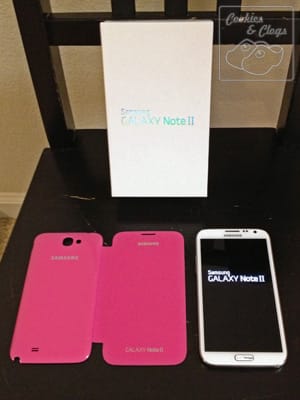
…Note 10.1 – Tablet
It has a quad-core processor. This makes it faster and able to handle multiple screens including uninterrupted video. Photoshop Touch is included to edit photos and has all the basic functions such as contrast, color balance, cloning, blurring, cropping, etc. Oh, you can also use it as a tv/stereo/media player remote.
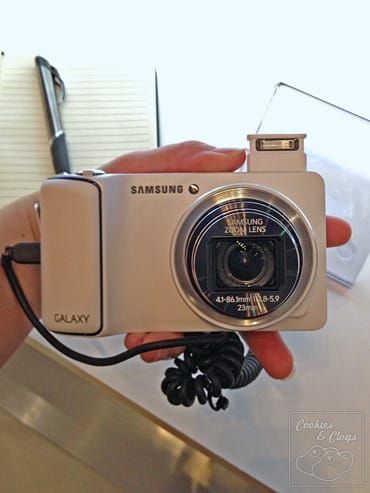
…Camera – Camera
This point-and-shoot has 21x optical zoom and photos can be instantly uploaded to social networks via data carrier. Editing can be done right on the camera. Runs on Android platform and can be used to access apps.
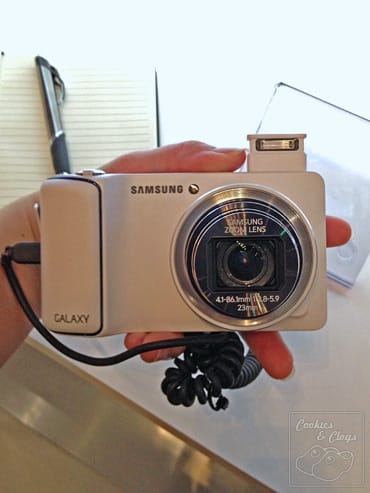
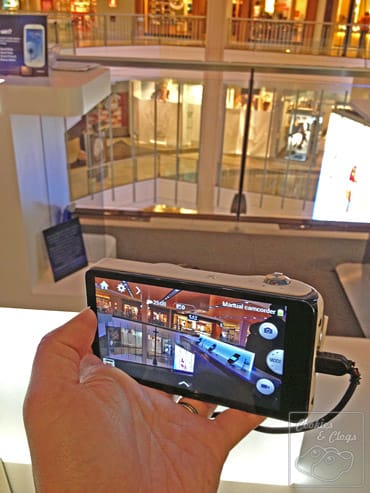
All of the above devices work on an Android platform. The colors are vivid and the functionality is there as long as you know how to use it. There seems to be quite a learning curve so first-time users may need to spend some time reading the tutorial popups until they get the hang of the layout and physical cues. The S Pen is great for writing apps but I prefer to use my finger for general option selection.
Samsung has definitely set itself up as a worthy competitor in the mobile race so I’m curious as to what they’ll release next.
I attended a small media event and received two items on a loan-basis. I received no other compensation. All thoughts expressed are 100% my honest opinion.